Manage Steering Tree Settings
The SIM module enables you to assign a specific SIM card to a defined steering tree. This means you can link that SIM to a specific routing and management configuration for one or more IMSIs deployed on the SIM card.
You can assign a SIM using the Manage Steering dialog box shown here.
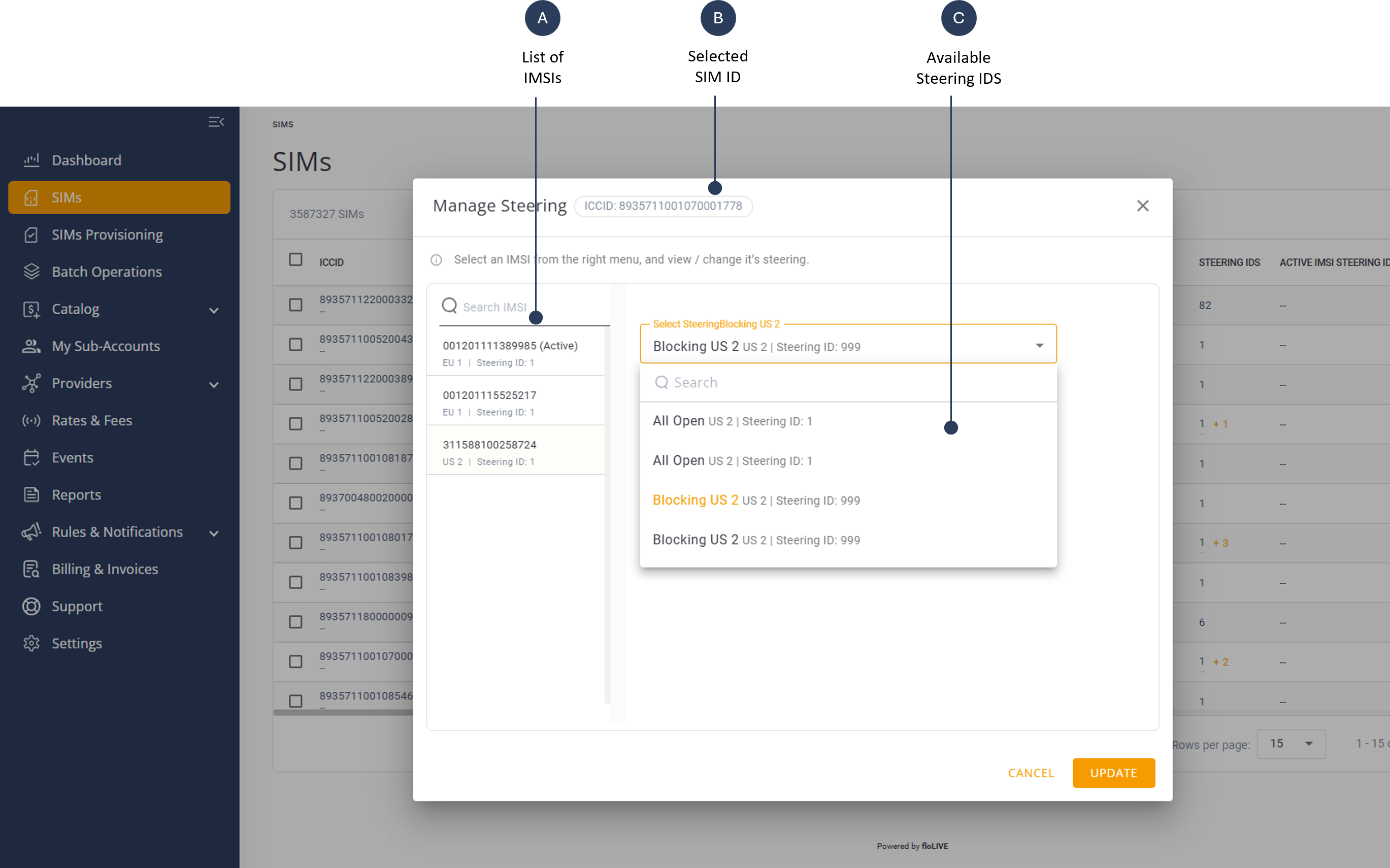
There are two methods to display the Manage Steering setting sin the SIM module:
- Display steering settings via SIM Info Page
- Display steering settings via SIM Actions.
Display Settings Via SIM Info Page
To display the Manage Steering settings via the SIM Info page, do these steps:
- Select SIMs from the sidebar menu. The SIMs table is displayed.
- Scroll the SIM table and click a specific row to display the SIM Info page.
- Select the Manage Steering Tab to display the steering tree options.
Display Settings Via SIM Actions
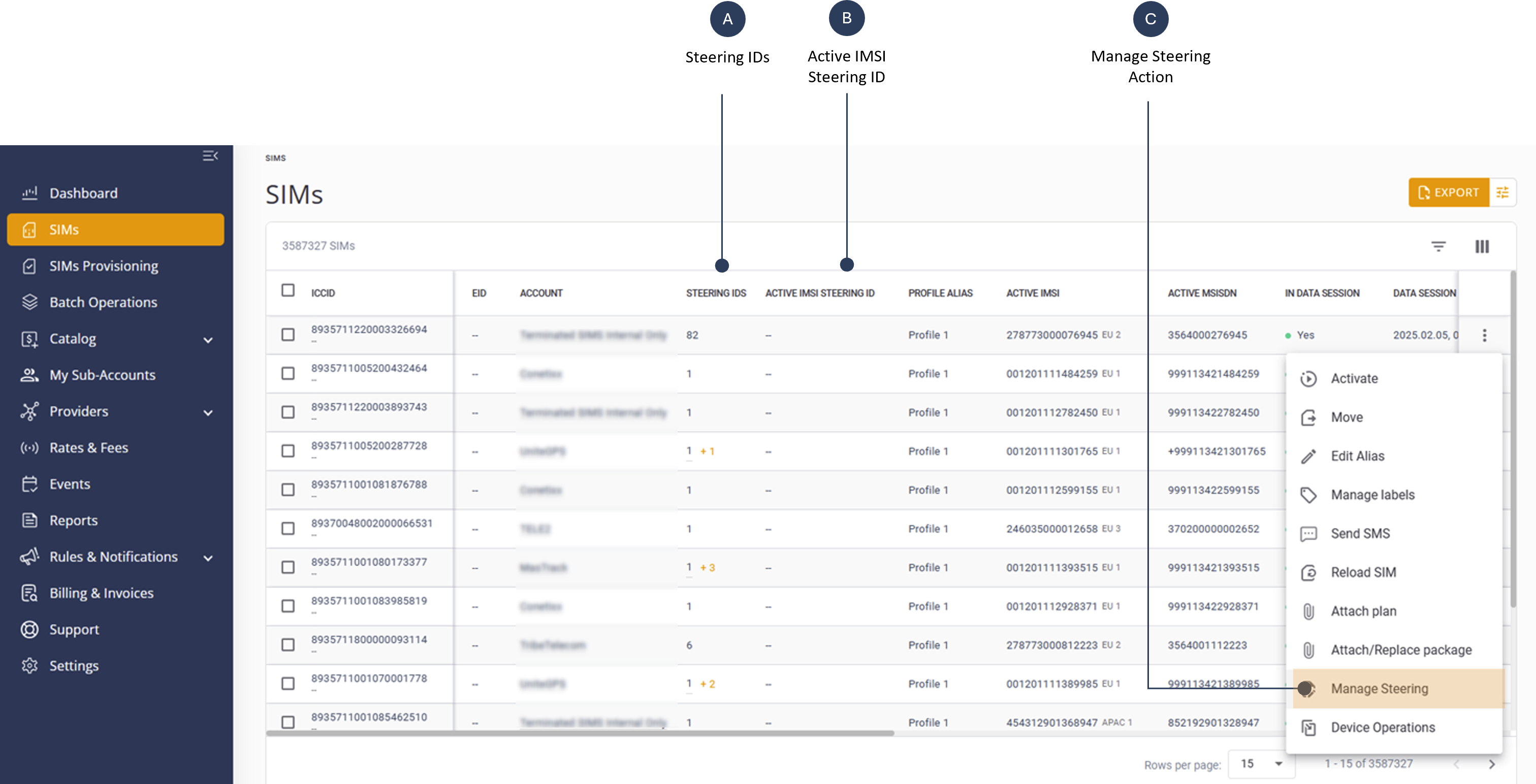
To display the Manage Steering settings via the SIM IActions do these steps:
- Select SIMs from the sidebar menu. The SIMs table is displayed.
- Scroll the SIM table and click the Actions control for a specific row.
- Select the Manage Steeringoption to display the steering tree dialog box.
The Manage Steering action setting is shown here.